Data Import & Export
End Users
Overview
This topic explains how to download and upload end users for current environment.
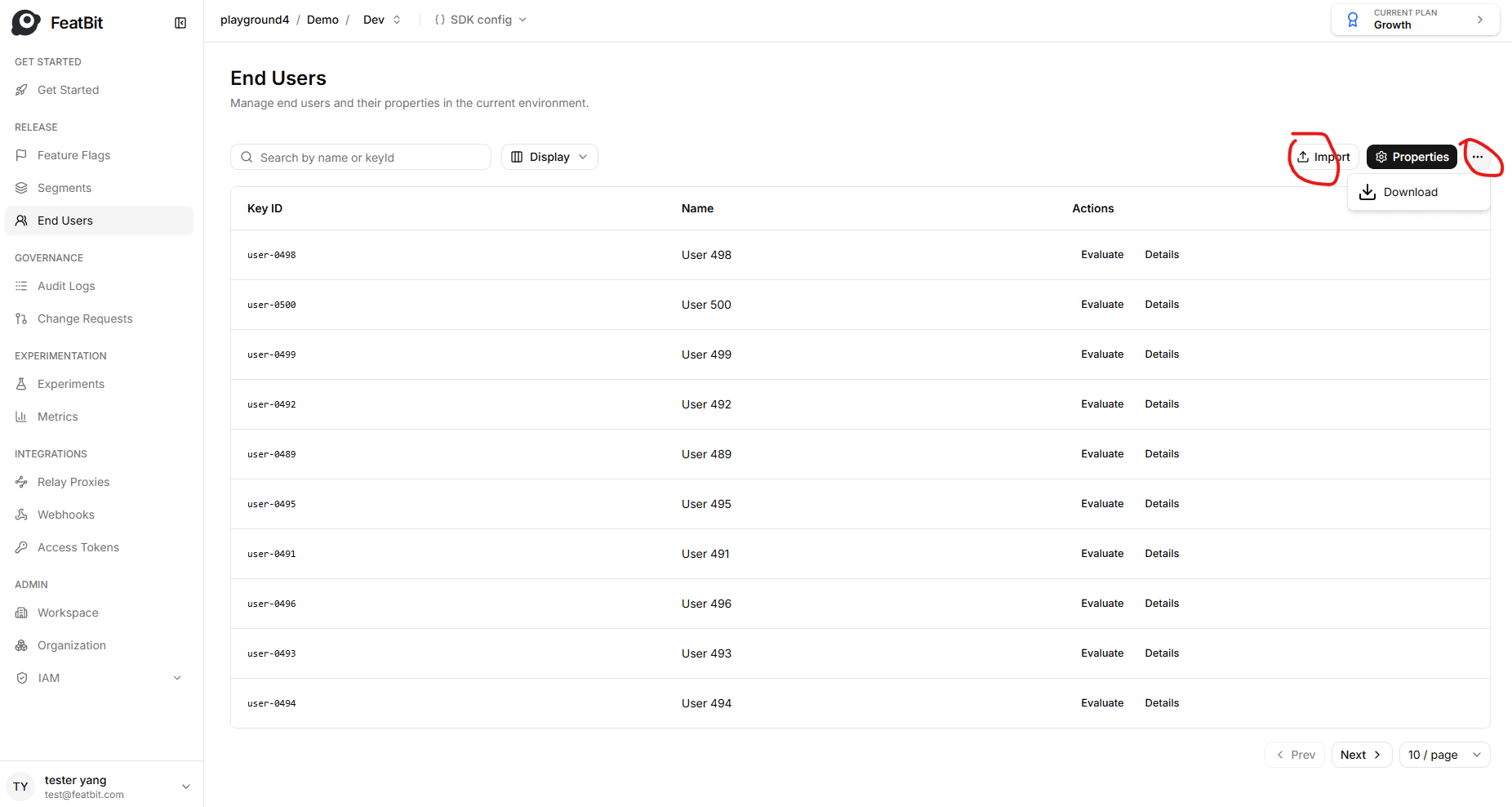
Here is an image of the download/upload end-user page:
Download
To download current environment end-users:
- Navigate to the End Users page.
- Click the three dots button.
- Click Download.
The server will then return a json file which contains all end-users and all user properties.
Upload
To upload current environment end-users:
-
Navigate to the End Users page.
-
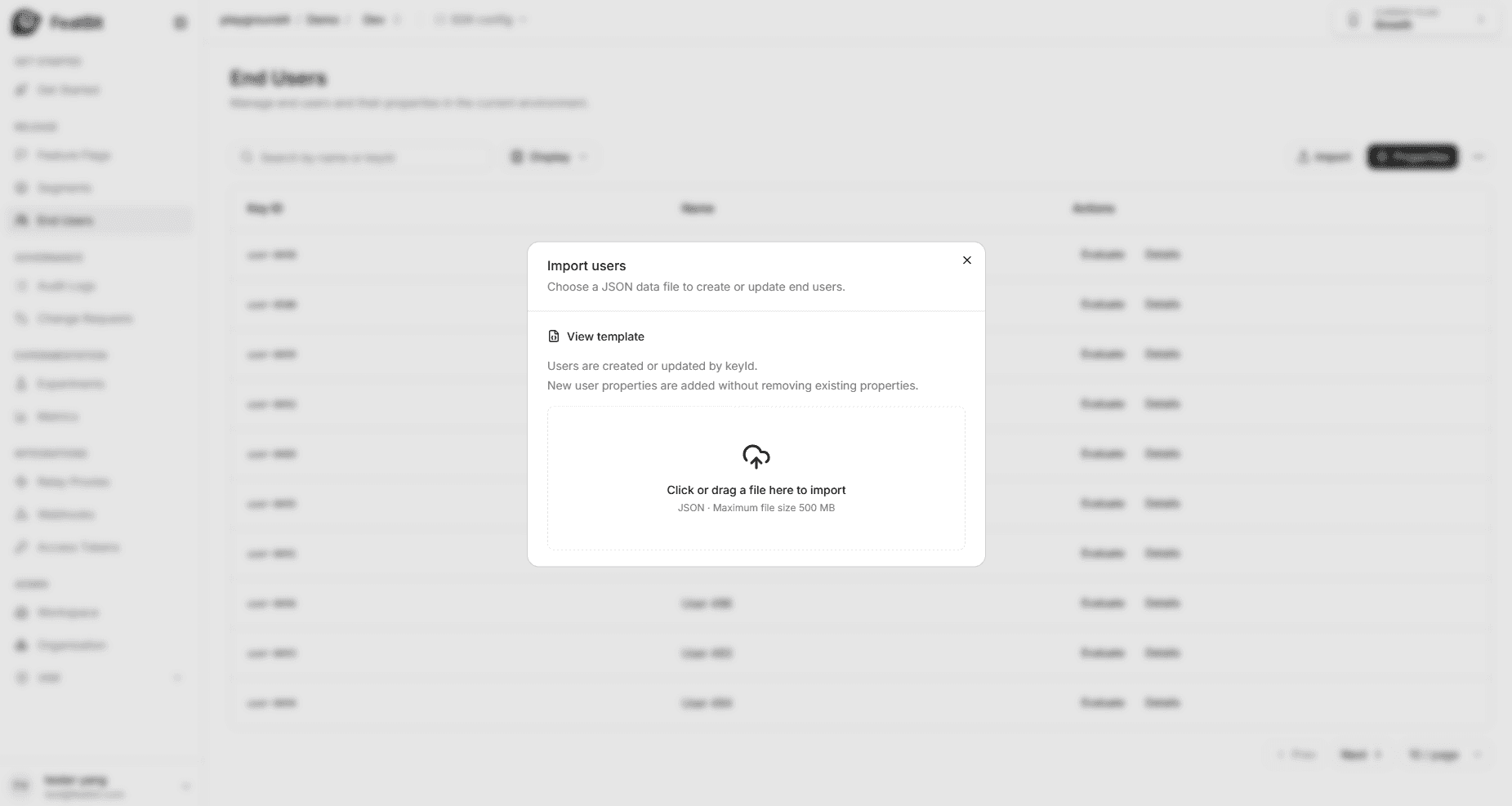
Click the Import button.
-
In the Import users dialog, drag and drop the file containing user data.
When you upload end-users to the server:
- For users, only insert/update operations will be executed.
- For user properties, only insert operation will be executed.