Archiving and Deleting
Overview
This topic explains how to archive flags you no longer need, or delete flags that are archived.
When a flag is no longer being served to users, it may be time to archive it. Archiving a flag retires it from FeatBit without deleting it. You can restore an archived flag if you need it, or find it to reference its configuration later.
You can delete an archived flag after you determine that it will no longer be needed in your project.
Archiving flags
Flags are good candidates for archival when they are serving only one variation in the environment you choose and have not been requested in the last seven days.
When you archive a flag in FeatBit, you should also remove the flag from your code.
If you do not remove an archived flag from your code, then all end users encountering the feature will receive the fallback value.
Be absolutely certain you can archive a flag without any unintended impact.
To archive a flag:
- Navigate to the flags list.
- Find the flag you wish to archive.
- Click on the three dots button to open the popover.
- Click Archive action button. A confirm dialog appears.
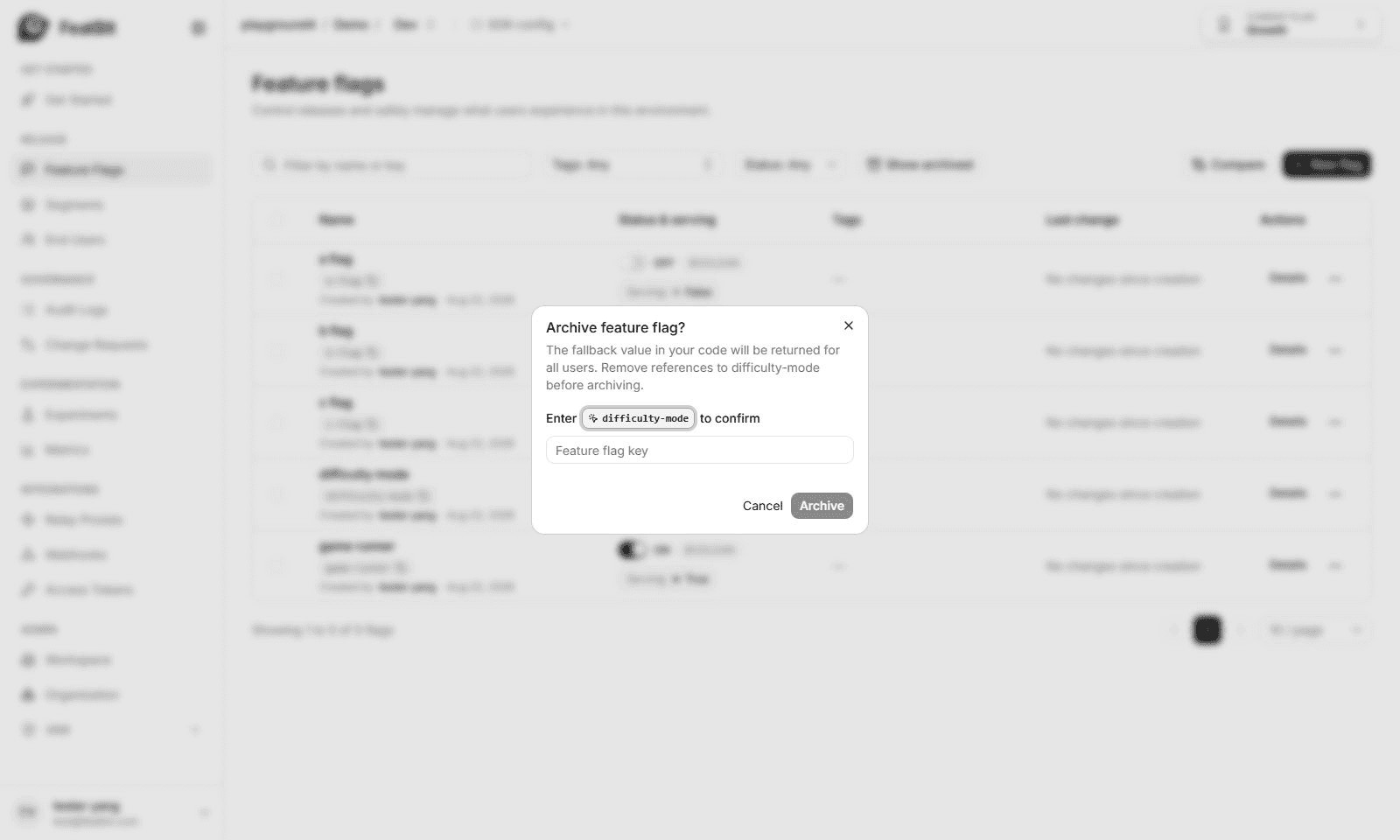
- Enter the flag key.
- Click Archive.
The flag is archived and removed from the flags list. You can find it in the archived flags list. To learn more, read Viewing and restoring archived flags.
Viewing archived flags
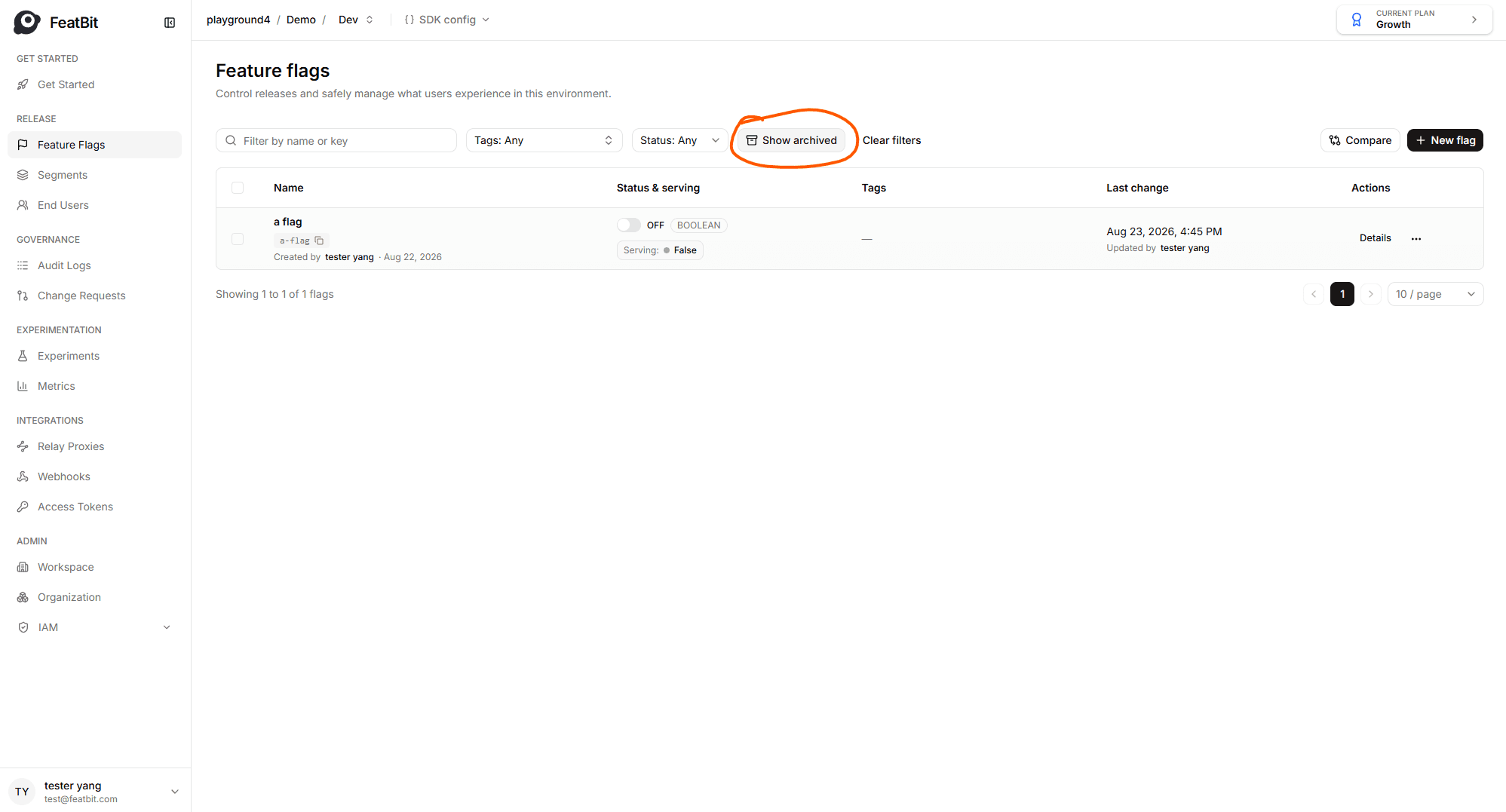
Archived flags are not visible from the flags list. Click the Show archived button to view them:
Restoring and Deleting archived flags
After you archive a flag, you can restore or delete it.
When you restore an archived flag, it returns to evaluation just like any other flag. So it is important to confirm that the flag will have no unexpected impact after you restore it.
When you delete an archived flag, the flag value defined in code will be returned for all users. Remove all references to the feature flag from your application code before you delete it.
If you delete a flag, you cannot restore it any more. Be absolutely certain you do not need the flag any more before you delete it.
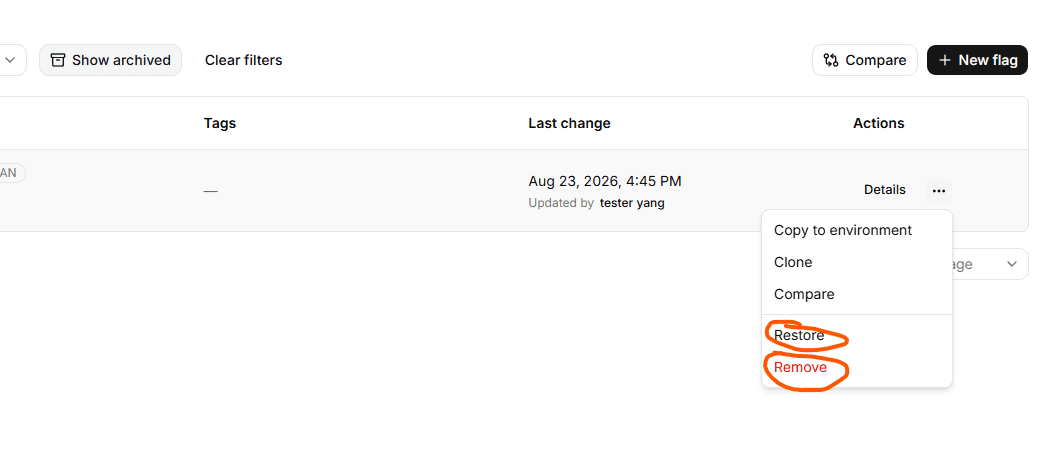
To restore or delete a flag:
- Navigate to the flags list.
- Click the Show archived button to view archived flags.
- Find the flag you wish to restore or delete.
- Click on the three dots button to open the more actions popover.
- If you wish to restore this flag, Click Restore; if you wish to delete this flag, click Remove