SDK
FAQ
How to get the environment secret
Get the current environment secret
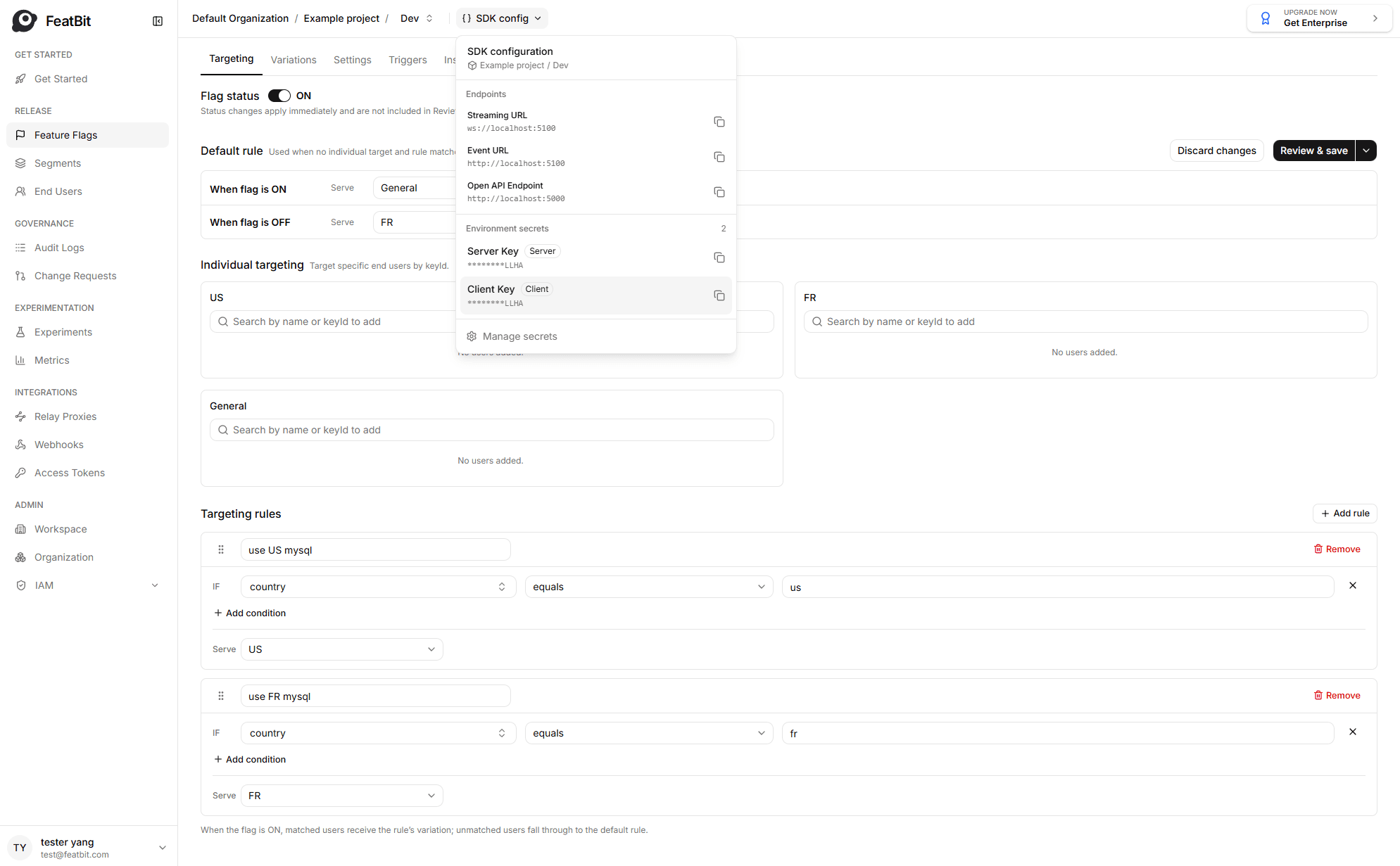
- Locate the environment name in the top of any page.
- Click on SDK config next to the environment name, then click the secret needed for your environment.
Get the secret of other project environment
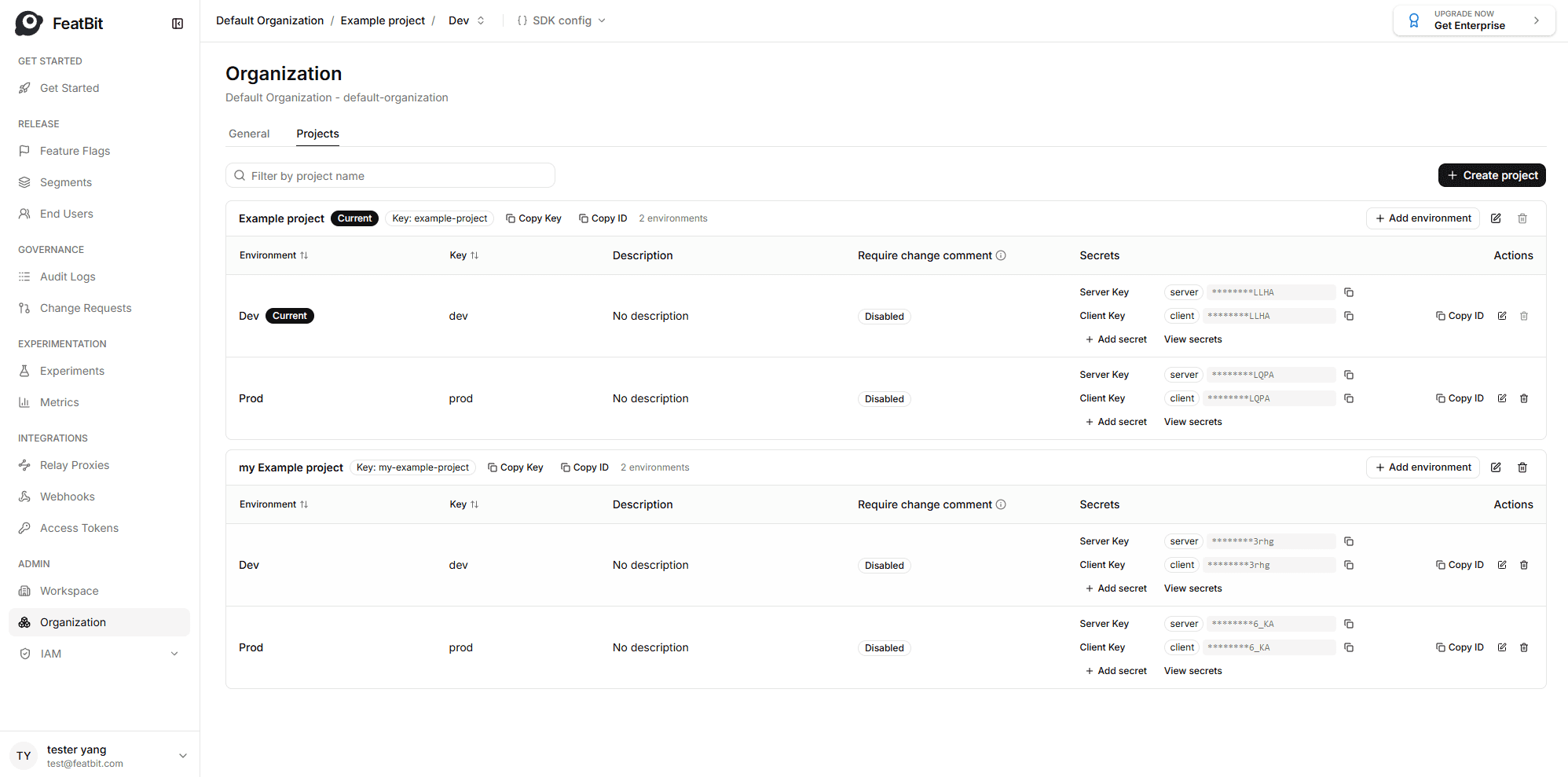
- Navigate to Organizations/Projects.
- Find the project and select the environment you need.
- Copy the secret that matches your SDK type:
- Server-Side SDK: Use the server secret.
- Client-Side SDK: Use the client secret.
Tip: Keep your environment secrets safe. Never share them in public.
How to get the SDK URLs
- Locate the environment name in the top of any page.
- Click on SDK config next to the environment name.
- In the SDK Configs section, you will see:
- Streaming URL (
wss://...): Used for real-time updates. - Event URL (
https://...): Used for sending events. Both usually point to the Evaluation Server Service (ELS).
- Streaming URL (
Note: If you have custom infrastructure (e.g., have another ELS service deployed and designate it as the dedicated event server), the event URL may differ, check with your administrator if unsure.